
Last Updated: November 12, 2026
Quick Summary
To verify villa rental photos, run every gallery image through a reverse image search on at least two engines and cross-check the property’s address, bedroom counts, and reviews across multiple platforms. Then match the photos to satellite imagery and request a live video tour before paying.
- Save the original image file rather than a screenshot, then crop to a distinctive feature before searching.
- A match across different addresses is a red flag; three matches on one photo means walk away.
- Check pool water, window reflections, and furniture legs for signs of AI-generated images.
- Compare pool shape, roofline, and surroundings against Google Maps satellite view of the address.
- Ask the host to show each bedroom, the pool, and the views live, and record any discrepancies.
Table of Contents
- Why Villa Rental Photos Deserve a Second Look
- Step 1: Run a Reverse Image Search on Every Gallery Photo
- Step 2: Cross-Check the Listing Across Multiple Sources
- Step 3: Match the Photos to the Map and Satellite Imagery
- Step 4: Request a Live Video Tour Before You Pay
- Questions to Ask Villa Property Managers Before Booking
- How to Choose a Reliable Jamaica Villa
- Book Your Stay at JaVacay with Confidence
- Frequently Asked Questions
Why Villa Rental Photos Deserve a Second Look
A gallery of villa rental photos is a sales pitch, not evidence. Anyone can pull images from a design magazine, run them through a filter, or let an AI tool generate a dreamy pool deck that never existed.
Many travelers tell the same story: they booked somewhere else once, and the place looked nothing like the pictures. You spend months planning, then walk into a tired room with a cracked pool deck.
The good news? A few careful checks can catch many common problems.
- Reverse image search reveals photos reused from other listings
- Cross-checking confirms the property exists beyond one website
- Map matching proves the villa sits where the listing claims
Below, we walk you through each step in order.
Step 1: Run a Reverse Image Search on Every Gallery Photo
Start with the photos themselves. Save each gallery image to your phone, then upload it to a reverse image search engine and look at what comes back.
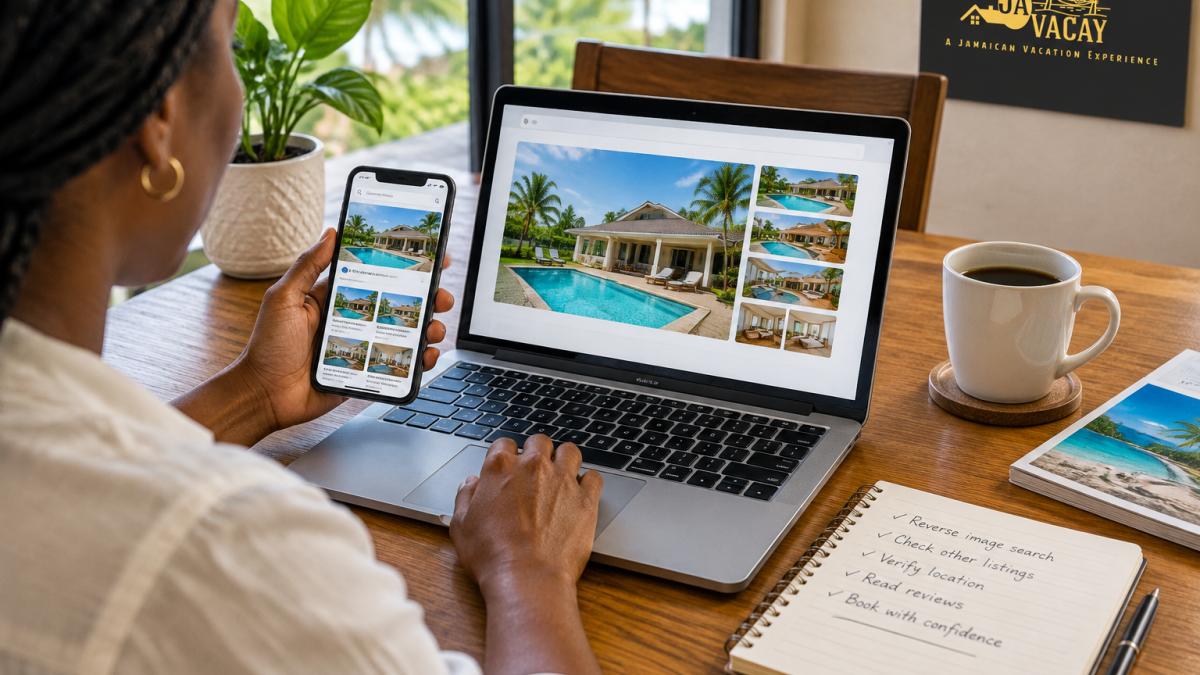
This takes about two minutes per photo. Do it for the exterior shot, the pool, the main bedroom, and the living room. Those four tell you the most.
If you want to see what genuine listing images look like side by side, browse the JaVacay gallery and compare the style, angles, and consistency.
A Repeatable Reverse Image Search Workflow
One search engine is not enough. Run each photo through at least two tools, because they index different corners of the web. The goal is not a single match but a pattern of sources.
Here is the workflow that catches the most problems:
- Save the original file, not a screenshot. Screenshots lose metadata and can distort the image. On a phone, long-press and download; on a desktop, right-click and save.
- Crop to the distinctive feature. A tight crop on a unique detail, like a pool’s tile pattern, often surfaces matches a full-frame search misses.
- Run the search on two engines. Upload the same file to a general image search and a dedicated reverse image tool, then compare results.
- Inspect visually similar results, not just exact matches. Open the top results and check the source pages, a match on a stock photo site, travel blog, or different villa listing is meaningful.
- Check the date and source page. Note the website, publication date, and whether the page is a listing, blog, or stock library. An image that first appeared years ago on another property’s listing is a red flag.
- Record what you find. Keep a note per photo: file name, tools used, matches found, and source URLs, useful if you later raise a concern.
What a Match Tells You (and What It Doesn’t)
A match does not always mean fraud. Sometimes a property manager licenses stock photos for a blog post, or an old listing photo resurfaces on a booking site.
But a match across different addresses is a red flag. If the same pool photo appears under a villa in Runaway Bay and another listing in Mammee Bay, one of them is lying.
Watch for these signals:
- The identical photo appears on unrelated property websites
- The image shows a beach or skyline that does not match the area
- The photo quality jumps wildly between gallery shots
One match is worth a question. Three matches on the same photo is your cue to walk away.
Photo-Specific Forensic Checks
Beyond reverse search, compare the photos against each other and against what you know about the area. Look for inconsistencies that suggest editing or misrepresentation:
- Room layouts: Do the windows, doors, and furniture placement match across photos? A bedroom with a sea view in one shot and a garden view in another needs explaining.
- Shadows and reflections: Natural light should fall consistently across photos taken at the same time of day, and reflections should show the same surroundings as the exterior shots.
- Weather and sky: A gallery mixing bright blue skies with overcast shots may pull from different dates or locations.
Watch out: A single odd shadow or a slightly different cushion is not proof of fraud, lighting and staging change. Look for patterns across several photos, not one isolated detail.
Here is the reverse image search workflow the article recommends, step by step.
| Step | What to do |
|---|---|
| 1 | Save the original file, not a screenshot |
| 2 | Crop to the distinctive feature |
| 3 | Run the search on two engines |
| 4 | Inspect visually similar results, not just exact matches |
| 5 | Check the date and source page |
| 6 | Record what you find |
Step 2: Cross-Check the Listing Across Multiple Sources
Cross-checking means finding the same property on more than one platform and confirming the details line up.
Search the property name plus the area. Then compare:
- Property address on each listing
- Bedroom and bathroom counts
- Pool and outdoor space descriptions
If a listing only exists on one site with no reviews and no company name, slow down. That is a common pattern in rental scams.
For a deeper walkthrough on this step, read our guide on how to verify Jamaica villa rentals before you commit.
Spotting AI-Generated, Edited, or Outdated Images
AI images have tells once you know where to look. Zoom in and check the details a generator often fumbles.
- Pool water that looks painted rather than photographed
- Window reflections that show nothing or the wrong scene
- Furniture legs that melt into the floor
Outdated photos are subtler. A villa photographed years ago may show furniture, paint, or landscaping that has since changed. Ask the property manager when the photos were taken. A straight answer is a good sign.
Step 3: Match the Photos to the Map and Satellite Imagery
Open Google Maps, find the property address, and switch to satellite view. Now compare what you see with the listing photos.
You are checking three things:
- The pool shape and where it sits on the lot
- The roofline and number of buildings
- The surroundings, such as roads, coastline, and neighbouring properties
A villa claiming an ocean view should sit near the water on the map. A listing promising privacy should not back onto a busy road.
Satellite imagery is not always current, so treat small differences as normal. Big ones, like a missing pool or a completely different building shape, need an explanation before you pay.
Step 4: Request a Live Video Tour Before You Pay
Ask for a live video call, not a pre-recorded walkthrough. A recorded video can be old, borrowed, or edited. A live tour happens in real time, and you can ask the host to move the camera.
Ask to see:
- Each bedroom and the beds made up
- The pool and outdoor spaces
- The kitchen and bathrooms
If a manager refuses a live tour, that is your answer. Legitimate hosts expect the request.
A Privacy-Safe Way to Confirm the Property Is Real
You do not need to share sensitive details to verify a property. Keep it simple:
- Join the call from a neutral background
- Avoid showing ID or payment screens on camera
- Ask the host to pan around rather than share their screen
When you are ready to pay, understand the process first. Our page on JaVacay direct payment explains how booking and payment work so you can move forward without guesswork.
A Live Tour Checklist That Documents What You See
A live tour is only useful if you can compare it to the listing later. Treat it like an inspection: ask the host to move slowly and pause on key features, and take notes or screenshots (with permission) as you go.
Use this checklist during the call:
- Exterior and entrance: Confirm the building matches the listing photo, including the roofline, gate, and driveway.
- Pool area: Check the pool shape, tile, and deck against the photos, and ask the host to show the pool from the same angle as the listing shot.
- Each bedroom: Confirm the bed configuration, window views, and any listed features (air conditioning, en-suite bathroom).
Record the date and time of the tour, the host’s name, and any discrepancies you notice, valuable if you need to raise a concern later.
What to Do When the Evidence Does Not Match
If the live tour reveals a different layout, missing amenities, or a view that does not match the listing, do not proceed with payment. Instead:
- Pause the payment. Do not send funds until the discrepancy is explained.
- Ask for clarification in writing. Request that the host explain the difference and, if possible, provide current photos or a second tour.
- Preserve your evidence. Save screenshots of the listing, your tour notes, and any messages with the host, useful if you report the listing to the platform.
- Report suspected fraud. If the host becomes evasive or pressures you to pay quickly, report the listing and consider walking away.
A legitimate host will welcome the chance to clear up a misunderstanding. A host who refuses to explain or rushes you is showing you exactly what the booking experience will feel like.
Questions to Ask Villa Property Managers Before Booking
A short, direct conversation clears up most doubts. Ask these questions and listen for specific answers, not vague reassurance.
- How long have you managed this property?
- When were the listing photos last updated?
- Is the villa registered under a company name I can check?
If you are travelling with a group and weighing staffed options, our guide on how to choose luxury villas in Jamaica with staff covers what to ask about housekeeping, cooking, and on-site support.
How to Choose a Reliable Jamaica Villa
Reliability comes down to proof. A trustworthy villa shows consistent photos, a real address, a reachable manager, and reviews you can trace.
Here at JaVacay, we keep that story simple. Our home is in Mammee Bay, St. Ann, on Jamaica’s north coast.
To dig into what separates a solid villa from a shaky one, read what makes a luxury villa reliable.
Book Your Stay at JaVacay with Confidence
Verifying villa rental photos is not about suspicion. It is about knowing exactly what you are paying for before you arrive.
At JaVacay, we welcome your questions before you book. Our home is built for families and groups who want a private, home-like stay.
Ready to see the real thing? Get started with JaVacay and lock in a private, comfortable home base for your next north coast getaway.
Frequently Asked Questions
How can I tell if a luxury villa rental listing is authentic?
Start with the photos. Run a reverse image search on the main gallery shots to see whether they appear on other listings under different addresses. Cross-check the property name and address across the rental company’s own site, social media, and map services. Then ask for a live video tour that shows the rooms, outdoor spaces, and pool in real time. A genuine operator will answer these requests quickly and without pressure to pay first.
What are the red flags to look for in vacation rental photos?
Watch for photos that look too polished to be real, such as perfectly empty rooms with no personal touches, or images that appear on several unrelated listings. Blurry or cropped shots of the pool and outdoor spaces are another warning sign. If the gallery skips the bathrooms, kitchen, or surrounding street, ask why. A host who cannot supply extra photos of specific rooms on request is worth questioning before you send any deposit.
Should I ask for a live video tour of a villa before booking?
Yes, and it is one of the strongest checks you can make. A live walkthrough lets you see the rooms, outdoor spaces, and pool as they are now, not as they looked in an old marketing gallery. Ask the property manager to show the view from the balcony and the walk to the gate. If a host refuses a video call but pushes for a fast deposit, treat that as a reason to walk away.
How do I verify that a villa rental is located where it claims to be?
Open the address in Google Maps and switch to satellite imagery. Compare the roofline, pool shape, and driveway with the listing photos. Check how close the property sits to the main road and to the beaches or attractions the listing mentions. If the photos show a sea view but the map places the villa inland, ask the property manager to explain the difference before you book.
