

Table of Contents
- Understanding Vacation Rental Fees
- How to Compare Vacation Rental Total Price Upfront
- Breaking down the base price and additional charges
- Why the same property costs different amounts on different platforms
- Worked example: How fees change the total cost
- Checking for cleaning fees, service fees, and taxes by region
- How to compare across platforms and jurisdictions
- Direct booking versus platform booking
- Questions to Ask Before Booking a Vacation Rental
- Use a Vacation Rental Booking Checklist
- What to Do If You Encounter an Undisclosed Fee
- Step 1: Document everything immediately
- Step 2: Contact the booking platform’s support team
- Step 3: Escalate to the payment processor if the platform doesn’t resolve it
- Step 4: File a complaint with the FTC if the pattern continues
- What counts as sufficient proof of non-disclosure
- Real-world outcomes
- Frequently Asked Questions
Last Updated: October 10, 2026
Understanding Vacation Rental Fees
The price you see when searching vacation rentals often isn’t the price you pay. Hidden fees are among travelers’ biggest complaints. This guide helps you understand what counts as a hidden fee and the importance of avoiding hidden fees in vacation rentals to prevent nasty surprises at checkout.
What counts as a hidden or deceptive fee
A hidden fee is any charge not clearly displayed before checkout. These fees appear suddenly after you’ve committed to a property and entered payment information.
Common hidden fees include:
- Service fees charged by the booking platform (not disclosed upfront)
- Cleaning fees that weren’t mentioned in the listing price
- Resort fees or occupancy taxes added at the final step
- Pet fees that only appear during checkout
- Parking fees for properties that seemed to include parking
- Security deposit charges not visible on the initial listing
The key difference is disclosure: if a fee is clearly listed on the property page before checkout, it’s legitimate. If it surprises you at checkout, it’s a problem.
Mandatory versus optional charges
Some additional charges are required by law. Understanding which fees are mandatory helps you identify illegitimate ones.
Mandatory charges (required by government or property owner):
- Taxes and government-imposed levies
- Cleaning fees set by the property owner
- Security deposits (if clearly disclosed upfront)
Optional charges (you can decline or negotiate):
- Extra guest fees beyond the base occupancy
- Pet fees if you’re bringing animals
- Late checkout fees
- Early checkout refund policies
- Damage waiver insurance
Problems arise when platforms or hosts treat optional charges as mandatory or fail to display them prominently. Optional charges should be clearly labeled so you can decide whether to accept them.
How to Compare Vacation Rental Total Price Upfront
Comparing prices requires seeing the total cost for your entire stay, including all mandatory charges. The same property often costs different amounts across platforms due to varying service fees, tax handling, and cleaning fee structures.
Breaking down the base price and additional charges
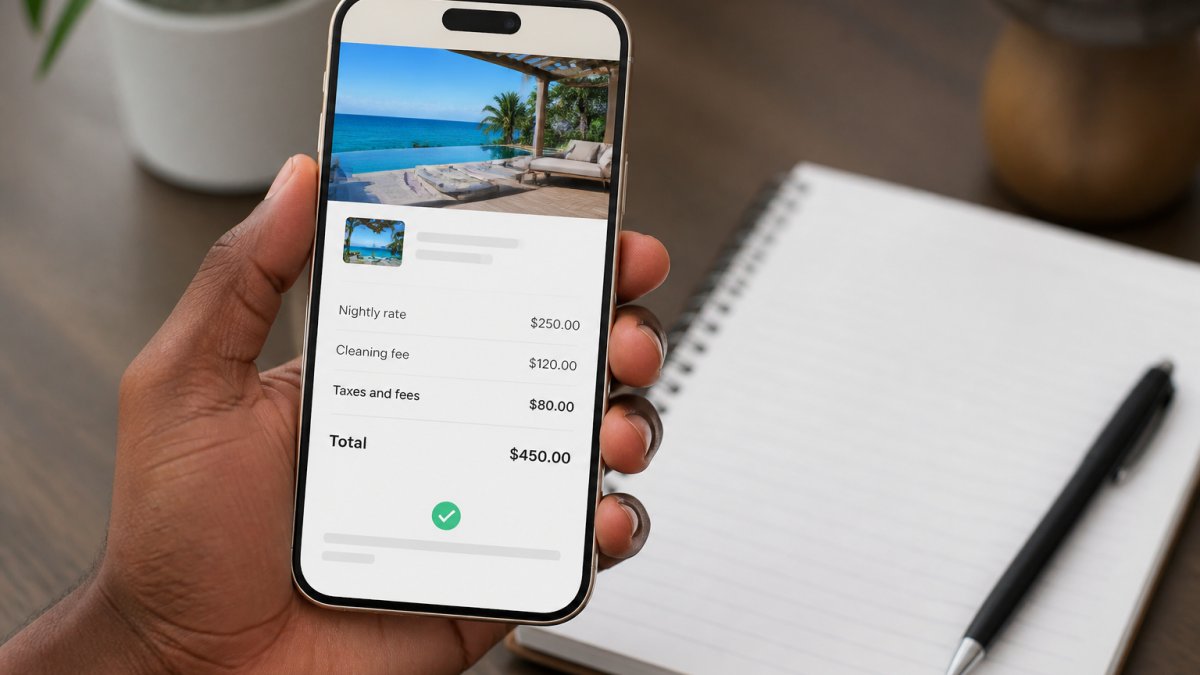
Identify the base nightly rate and multiply by your number of nights. A quality listing shows: nightly rate, number of nights, subtotal, cleaning fee, service fees, taxes, and total due. Always compare the total cost for your specific dates, not just the nightly rate.
Why the same property costs different amounts on different platforms
If you find the same vacation rental listed on multiple platforms (Airbnb, Vrbo, Booking.com), the total price may differ significantly. This happens for several reasons:
Service fees vary by platform: Airbnb charges 14-16%, Vrbo charges 5-10%, and Booking.com varies by agreement. A $1,000 nightly rate incurs $140-160 on Airbnb but only $50-100 on Vrbo, a $500+ difference over a week.
Tax calculation and remittance differ: Some platforms display taxes upfront; others don’t.
Cleaning fees are set by the host, not the platform: The same host may charge $150 cleaning on Airbnb but $200 on Vrbo if they set different fees per platform.
Currency and payment processing fees: International bookings may incur different conversion rates and payment processing fees across platforms.
Promotional discounts and loyalty credits: Platforms offer different discounts; Airbnb may offer 10% for 7+ nights while Vrbo doesn’t, and loyalty programs vary.
Worked example: How fees change the total cost
Let’s compare the same 3-night stay at a beachfront property listed on multiple platforms:
Scenario: 3-night stay, 2 guests, no pets, in Miami, Florida (15% combined state and local short-term rental tax)
Platform A (Airbnb):
- Nightly rate: $200
- 3 nights: $600
- Cleaning fee: $75
- Subtotal: $675
- Service fee (15% of $600): $90
- Taxes (15% of $600): $90
- Total: $855
Platform B (Vrbo):
- Nightly rate: $200
- 3 nights: $600
- Cleaning fee: $75
- Subtotal: $675
- Service fee (7% of $600): $42
- Taxes (15% of $600): $90
- Total: $807
Platform C (Direct booking with host):
- Nightly rate: $200
- 3 nights: $600
- Cleaning fee: $75
- Subtotal: $675
- Service fee: $0 (no platform fee)
- Taxes (15% of $600): $90
- Total: $765
The same property costs $90 more on Airbnb than Vrbo, and $90 more on Vrbo than a direct booking. Over a month-long stay, these differences multiply: Airbnb could cost $1,200+ more than a direct booking due to service fees alone.
Checking for cleaning fees, service fees, and taxes by region
Cleaning fees vary by property size and location. A rule of thumb: cleaning fees should not exceed 20% of the total nightly rate for a 3-night stay. If a $100/night property charges $150 cleaning, that’s unusually high.
Service fees are platform charges: Airbnb 14-16%, Vrbo 5-10%, Booking.com 5-12%. They should be displayed separately from the nightly rate.
Taxes are government-imposed and vary by location: most U.S. cities 8-15%, San Francisco 14%, New York City 10.875%.
How to compare across platforms and jurisdictions
- Search the same property on multiple platforms using the address or property name.
- Note the nightly rate, cleaning fee, and service fee on each platform.
- Calculate the subtotal (nightly rate × nights + cleaning fee).
- Check the tax rate for the destination. If the platform doesn’t show taxes, add the local rate manually.
- Add service fees based on the platform’s percentage.
- Compare the final totals. The lowest total wins, but also consider cancellation policies and host reviews, a slightly higher price may be worth it for better flexibility or reliability.
Before clicking “Book Now,” take a screenshot of the price breakdown on each platform. If charges appear at checkout that weren’t on this screen, you have proof of the discrepancy. This helps when disputing unexpected fees.
Direct booking versus platform booking
Direct booking saves 5-16% in service fees but lacks platform protection, dispute resolution, and payment security safeguards. For most travelers, the platform fee is worth the buyer protection. For long stays (30+ nights) with trusted hosts, direct booking may justify the reduced protection.
Questions to Ask Before Booking a Vacation Rental
Ask hosts key questions before booking: What’s included in the nightly rate? Are there unlisted fees? What’s the exact total for your dates? Get answers in writing via the platform’s messaging system to document any discrepancies.
Some hosts list a low nightly rate but charge excessive cleaning fees to inflate the total. If the cleaning fee seems disproportionate to the property size, ask why. A reasonable cleaning fee is typically 10-20% of the total nightly rate, not more.
Use a Vacation Rental Booking Checklist
A structured approach to booking prevents costly mistakes. This checklist walks you through each step, ensuring you catch fees before they become problems by avoiding hidden fees in vacation rentals.
Pre-booking fee audit steps
- Check the nightly rate for asterisks indicating hidden terms.
- Calculate the subtotal (nightly rate × nights).
- Note all mandatory fees (cleaning, service, resort).
- Confirm taxes are included.
- Calculate total: (nightly rate × nights) + cleaning + service + taxes.
- Compare alternatives using the same method.
- Message the host for written confirmation of the total.
- Review the cancellation policy.
| Step | What to Check | Red Flag |
|---|---|---|
| Nightly rate | Base price per night | Rate has an asterisk or footnote |
| Subtotal | Rate × nights | Subtotal doesn’t match calculation |
| Mandatory fees | Cleaning, service, resort fees | Fees only appear at checkout |
| Taxes | Government-imposed charges | Tax amount seems unusually high |
| Total cost | Sum of all charges | Total differs from host’s stated price |
| Alternatives | Comparable properties | Similar properties cost significantly less |
| Host confirmation | Written fee breakdown | Host won’t confirm total in writing |
| Cancellation policy | Refund terms and fees | Cancellation fees aren’t clearly stated |
What to verify at checkout
At checkout, verify: the nightly rate matches the listing, the night count is correct, all discussed fees appear, no new fees were added, the total matches your calculation, and the payment method is secure (HTTPS and padlock icon).
What to Do If You Encounter an Undisclosed Fee
If you encounter an undisclosed fee, follow an escalation process with proper documentation.
Step 1: Document everything immediately
Take screenshots of: the original listing page (with URL and timestamp), booking confirmation email, checkout screen, host messages about fees, and payment receipt. Store in a single folder with clear filenames as evidence for disputes.
Step 2: Contact the booking platform’s support team
Use the platform’s in-app messaging to contact support (creates a timestamped record). Explain which fee was undisclosed, where it should have appeared, and attach screenshots. Most platforms respond within 24-72 hours. If the fee wasn’t disclosed per their terms, they typically issue a refund, remove the charge, or suspend the host.
Step 3: Escalate to the payment processor if the platform doesn’t resolve it
If the platform doesn’t resolve it within a week, file a dispute with your credit card company or payment service. Select “Unauthorized charge” or “Charged for services not rendered,” upload your screenshots, and explain the fee wasn’t disclosed. Payment processors investigate within 10-30 days and typically rule in your favor if the fee didn’t appear on the listing or checkout screen.
Step 4: File a complaint with the FTC if the pattern continues
For repeated undisclosed fees, file a complaint with the FTC at reportfraud.ftc.gov, including the platform name, booking dates, amounts, screenshots, and dispute communications. The FTC uses these to enforce the Junk Fees Rule.
What counts as sufficient proof of non-disclosure
Your evidence must show the fee didn’t appear on the listing page, checkout screen, or in host messages. If the fee was listed anywhere, even in fine print or house rules, platforms may argue it was disclosed. Pre-booking screenshots prove what was visible at the time you booked.
Before disputing, re-read the listing’s house rules, cancellation policy, and “What’s included” section. Some hosts bury fee disclosures in these sections. If the fee truly wasn’t there, your case is stronger.
Real-world outcomes
Most travelers who follow this process successfully recover undisclosed fees within 2-4 weeks. Platforms refund faster than payment processors, so start with platform support. Payment processor disputes take longer but have high success rates if your documentation is clear.
If you’re charged a fee that was disclosed but seems unfair (e.g., an excessive cleaning fee), that’s a negotiation, not a dispute. Contact the host directly and ask them to reduce it or cancel the booking.
Frequently Asked Questions
What are the most common hidden fees in vacation rentals?
Common hidden fees include cleaning fees, service fees, platform fees, resort fees, occupancy taxes, and damage deposits that are not disclosed upfront. Some hosts charge booking fees or administrative charges that only appear at checkout. The FTC rule now requires total price, including all mandatory fees and taxes, to be displayed prominently before you complete your reservation. Always check the fee breakdown section and ask the host directly about any charges not listed in the nightly rate.
How can I compare the total cost of vacation rentals accurately?
Request the complete price breakdown from each rental, including the nightly rate, cleaning fee, service fee, taxes, and any mandatory charges. Write down the total cost for your exact dates and number of guests, then compare across listings side by side. Many platforms now display the total price upfront, but verify by scrolling to the checkout summary. Ask hosts directly: ‘What is the total cost for my stay, including all mandatory fees and taxes?’ This ensures you’re comparing apples to apples and won’t face surprise charges later.
What should I ask a host about extra charges before booking a vacation rental?
Ask these key questions: Are there any fees not included in the nightly rate? What is the cleaning fee, and when is it charged? Are there service fees or platform fees? Are taxes included in the quoted price? Are there any resort fees, occupancy fees, or administrative charges? What is your cancellation policy, and are there penalties? Are utilities, WiFi, and parking included? What happens if we need to extend our stay? Getting clear written answers to these questions before booking protects you from unexpected costs at checkout.
Can a vacation rental host charge fees that were not disclosed before booking?
Under the FTC rule effective in 2024, hosts and platforms must disclose all mandatory fees and the total price prominently before checkout. Charging undisclosed mandatory fees violates consumer protection rules. However, some optional fees (like late checkout or extra guests beyond your party size) may be disclosed separately. If you’re charged a fee that wasn’t clearly shown during booking, document it and contact the host immediately. If they refuse to remove it, report the charge to the platform and file a complaint with your local consumer protection agency.